
No products
Prices are tax included
Product successfully added to your shopping cart
There are 0 items in your cart. There is 1 item in your cart.


Reolink Roaming Sim Card - Technical Support
Reolink Roaming Sim Card
New
Technical Support about using the Roaming Sim Card with a Reolink Camera
How to Setup APN settings manually on a Reolink Camera:
This example is using a windows computer - The process is similar on different operating systems.
Before you start, Please make sure your Micro SD card is 16GB or 32 GB and in FAT32 format.
Please note: If your Micro SD Card is larger than 32GB, This process will fail.
1. Insert your micro SD card into a computer
2. Open Windows Explorer (Windows key and E on your keyboard) and select to open the Micro SD Card

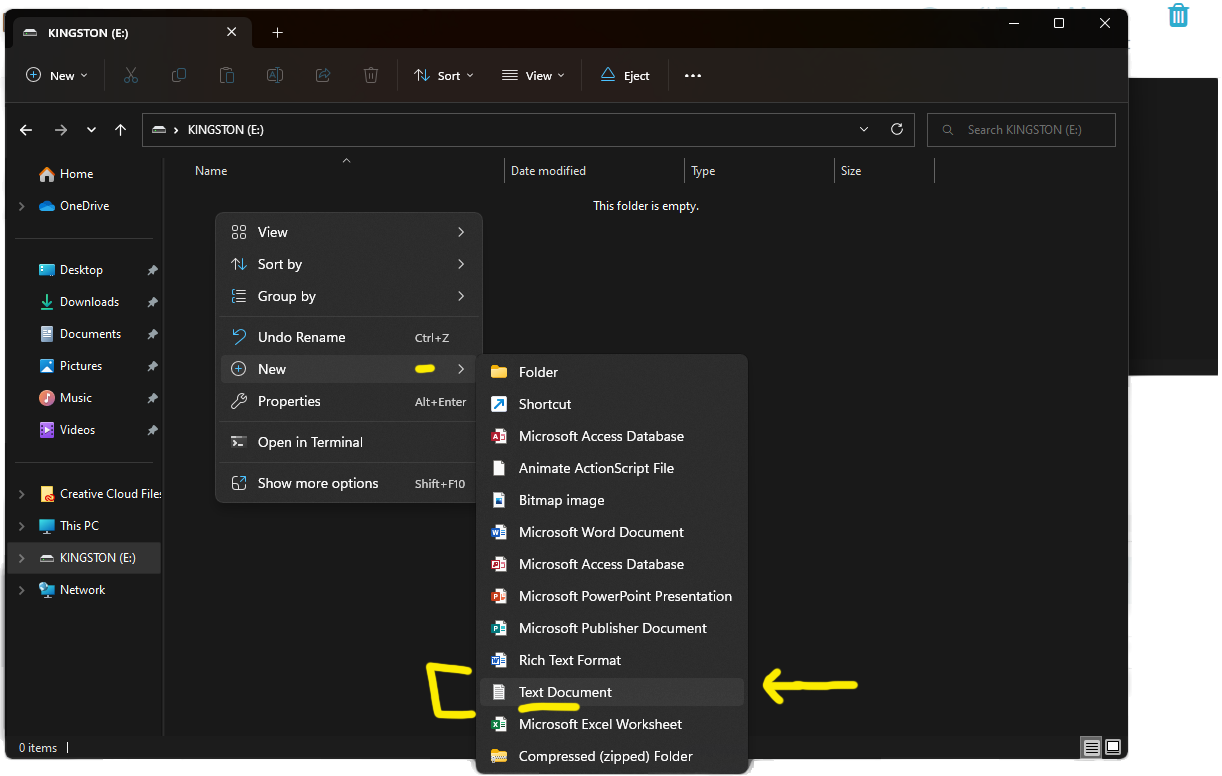
3. Right Click on and empty space (in the root directory of the card) and create a Text Document
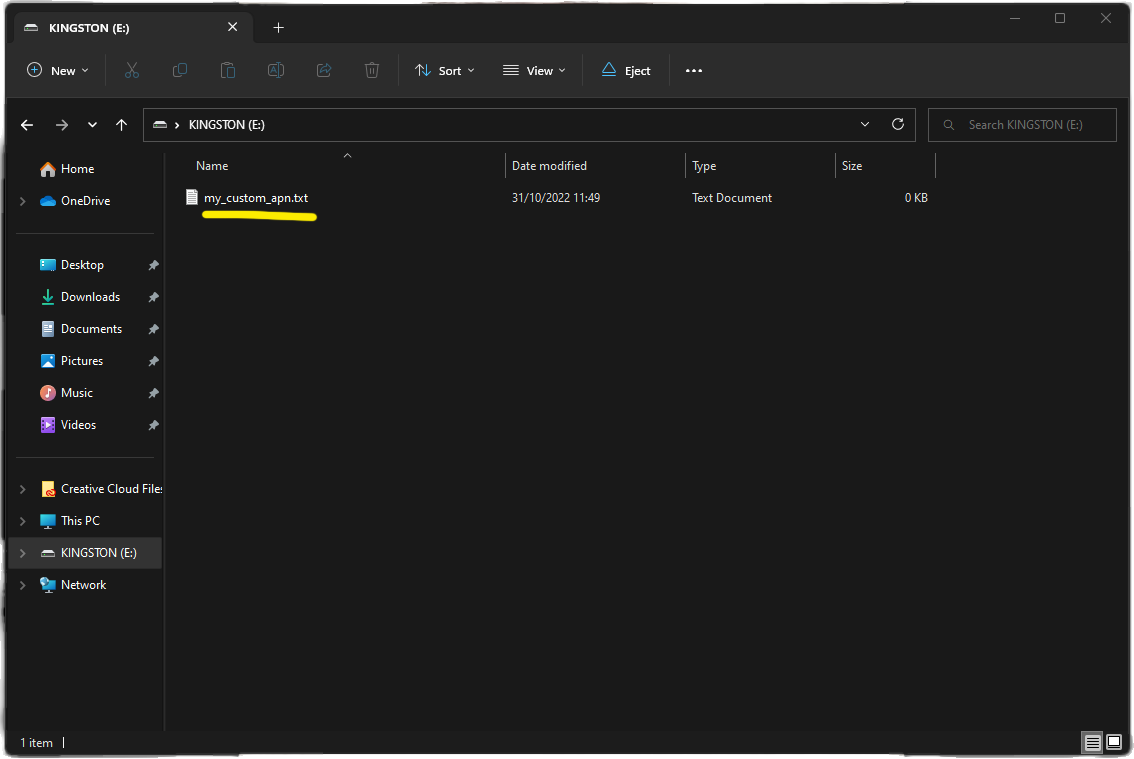
4. Name the Text Document my_custom_apn
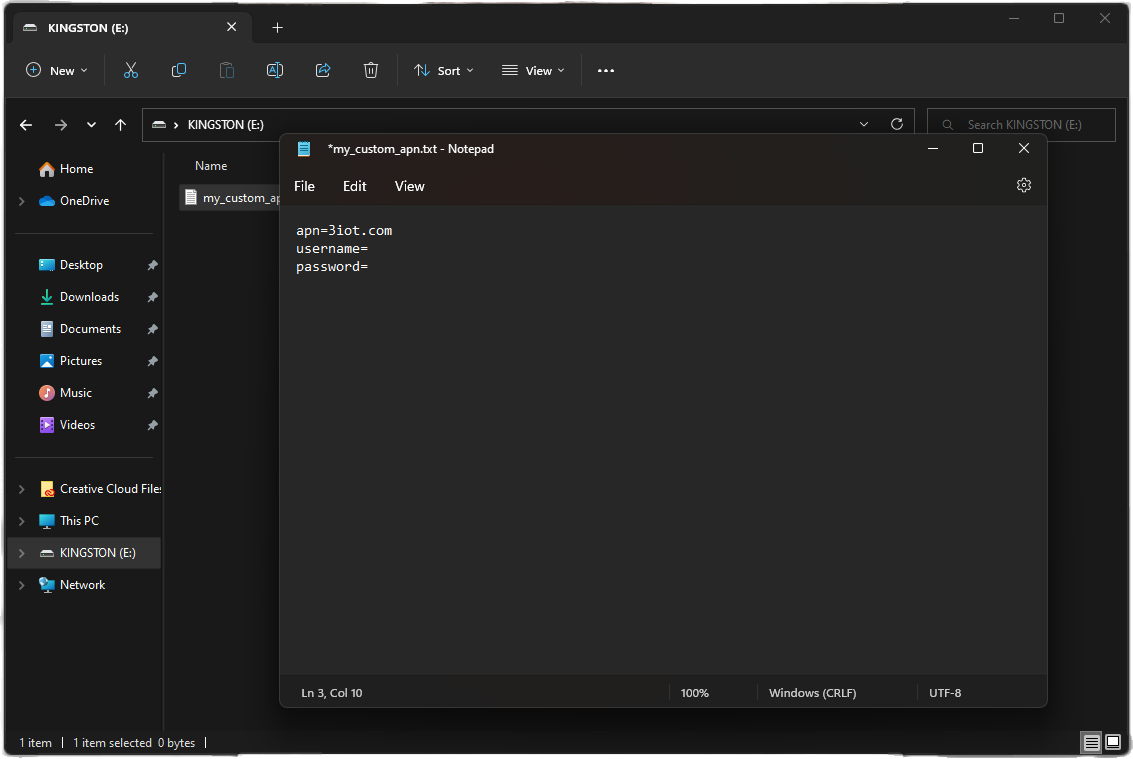
5. Double click to open and paste in this text and press file save:
apn=3iot.com
username=
password=
6. Turn off the camera, then install the SD card and power on the camera. Please wait for about 20 seconds
and press the reset button with a needle to factory reset the camera.
Once reset, your camera will work on the Roaming Sim Card APN settings.